Founder Brief
Three systems to install before Q4 planning
Founder Brief #001. Three client systems, and the real screens behind each one.
DashboardLim · Founder's desk
2026-07-014 min readThree systems we built and still run. One keeps a client's week on rails, one runs a founder's inbox without ever sending for them, and one puts a whole sales floor on the office wall. Here is what each client came to us with, and what changed.
71
weekly reports in one client's folder
81
noise messages dropped in a single day
$1.9m
team revenue live on the office wall
Every screenshot below came out of a system that was running that day.
System 01 · Weekly reporting
The report that arrives before anyone asks
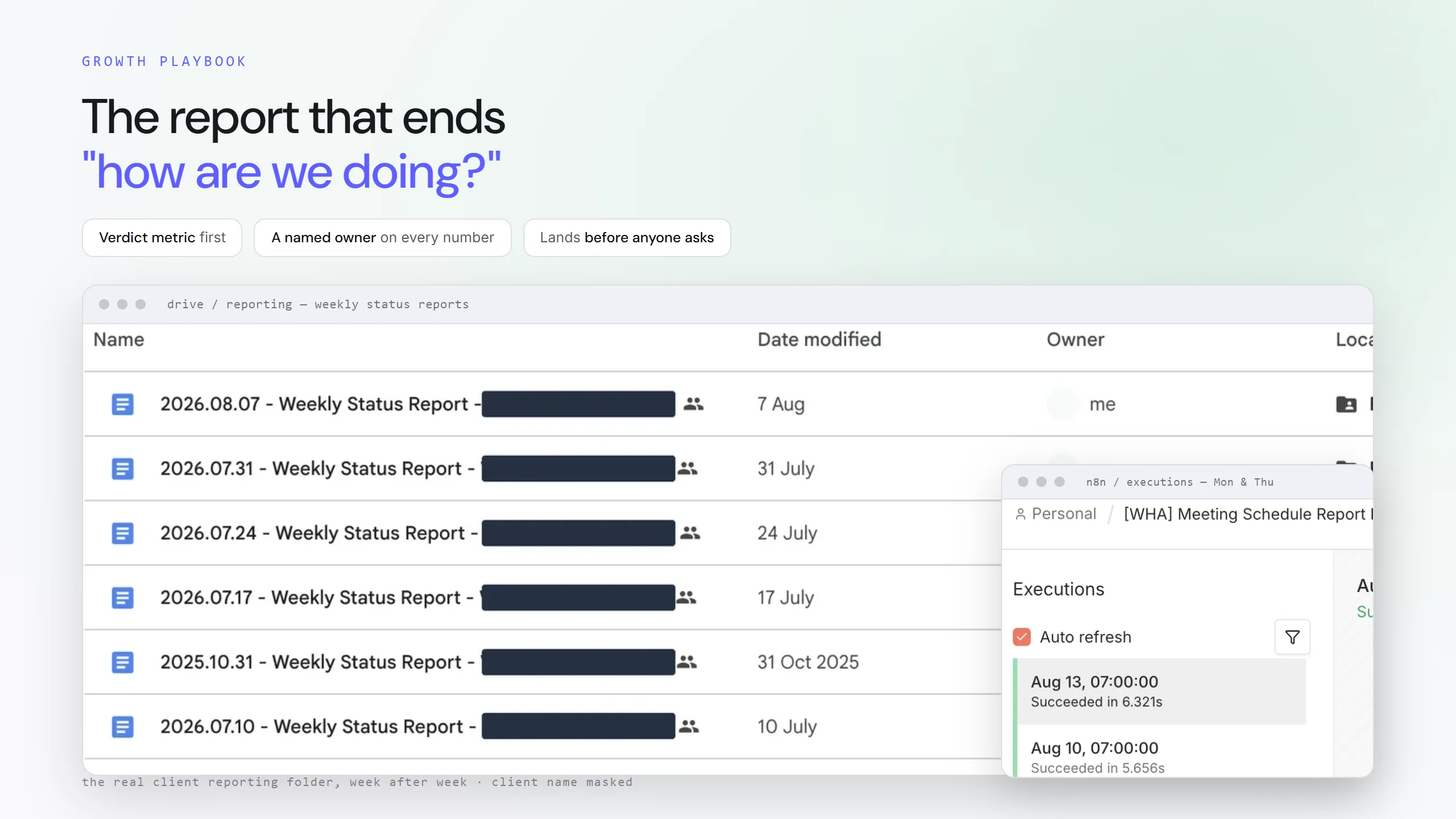
One of our Australian clients kept asking the same question in different words. How are we actually doing? Status lived in people's heads and in whatever meeting happened next.
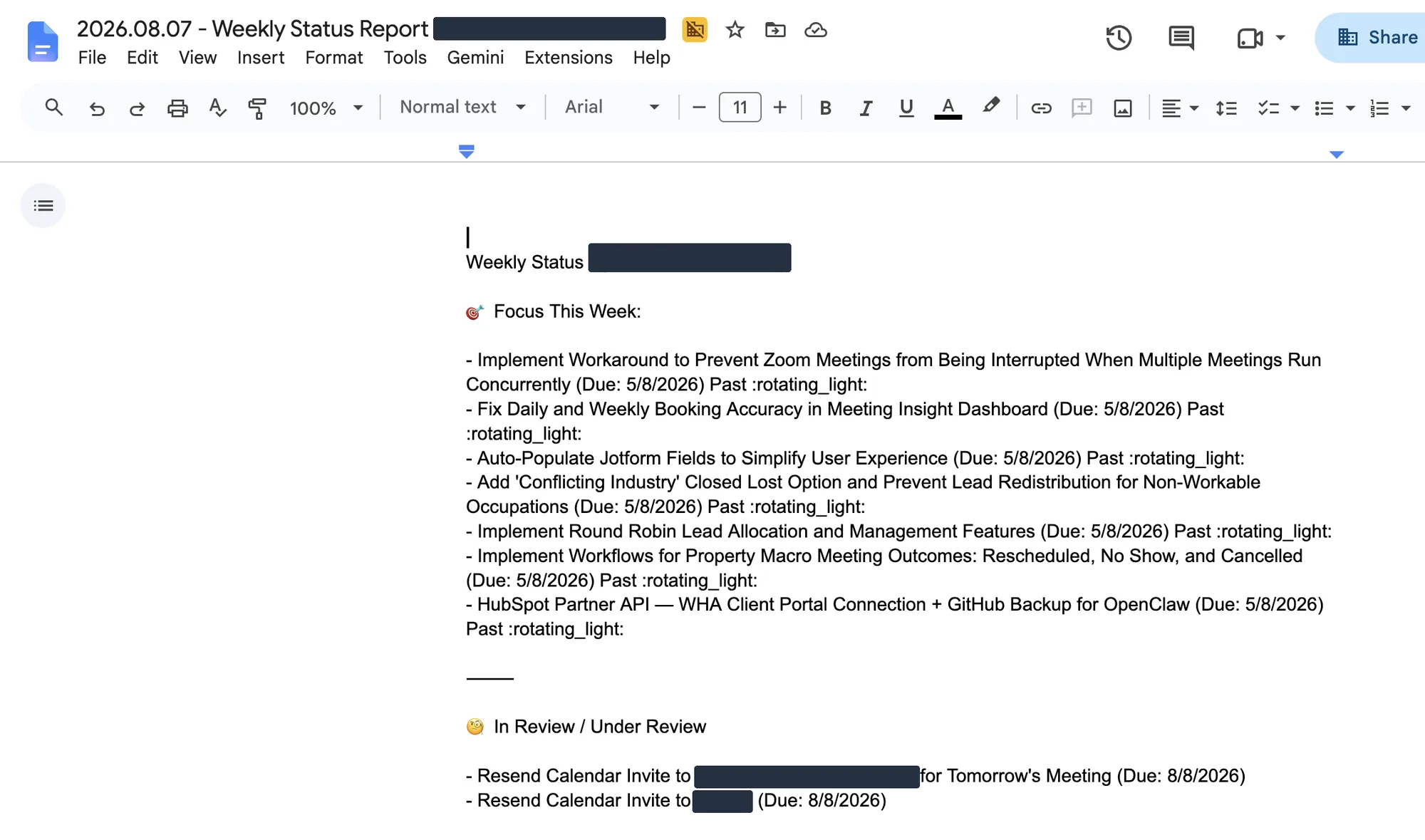
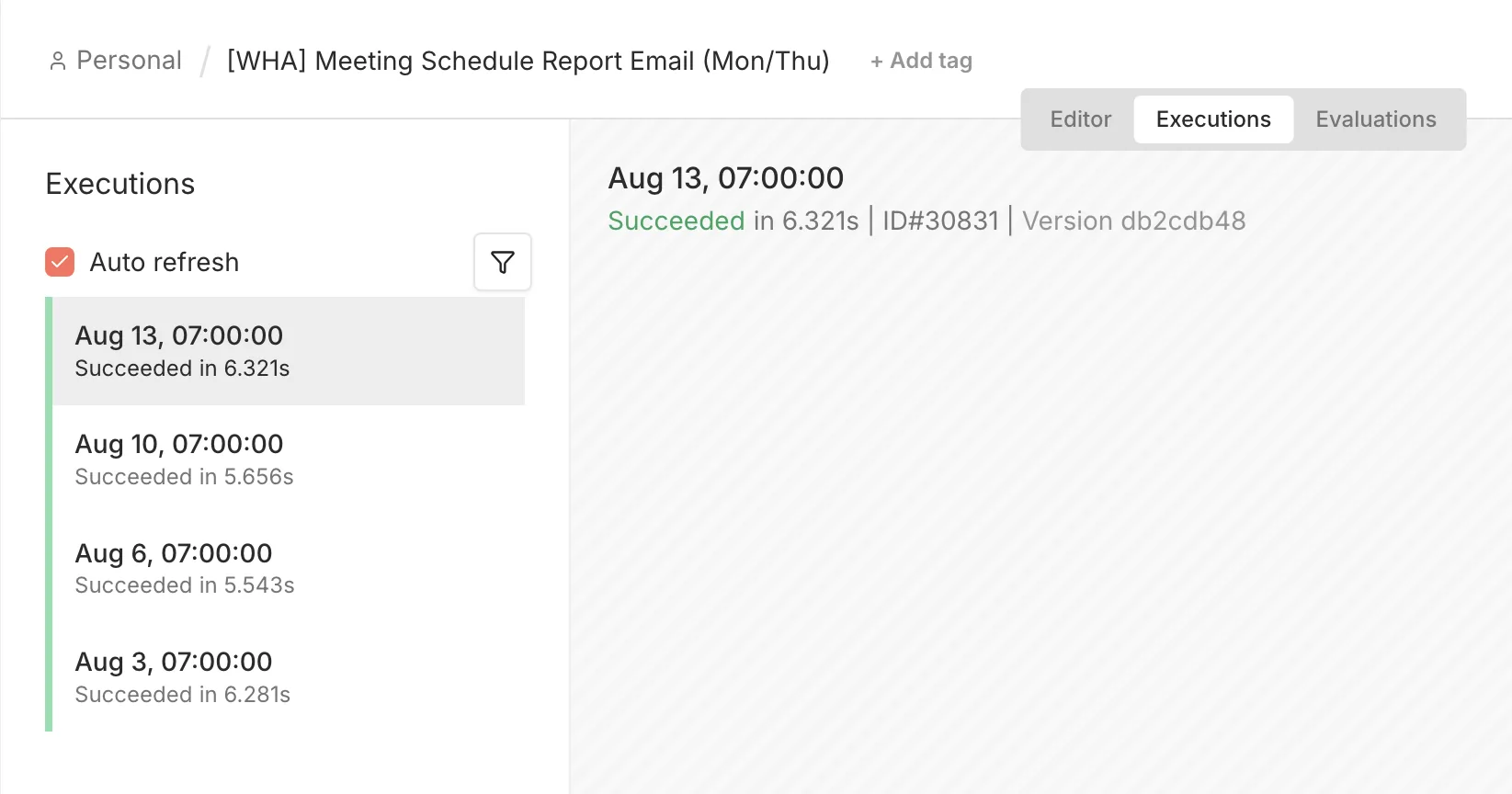
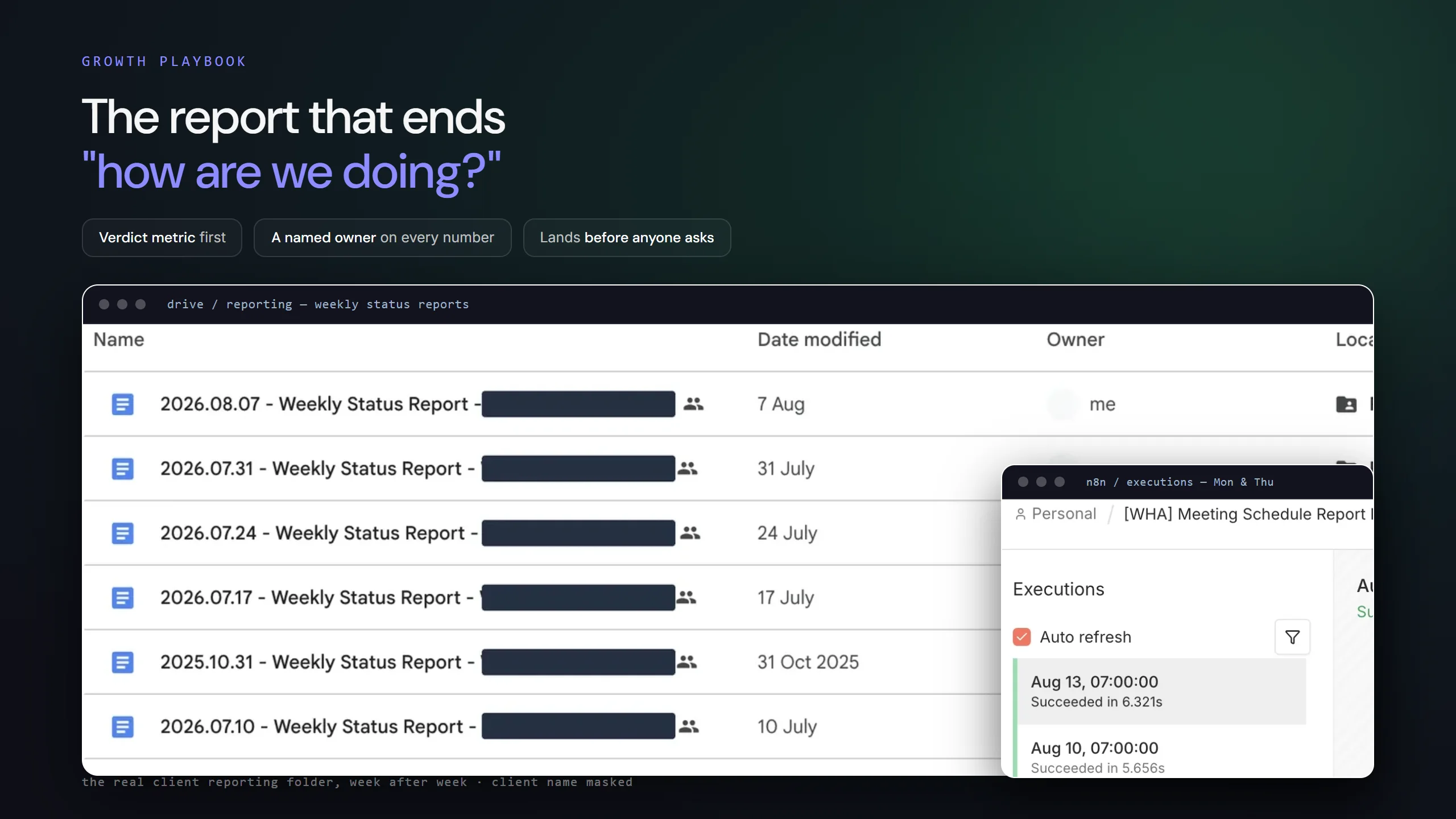
So we put the week on rails. A scheduled email opens it with every meeting booked, and the same status report closes it every Friday. We automate the assembly, not the words about what the week meant.
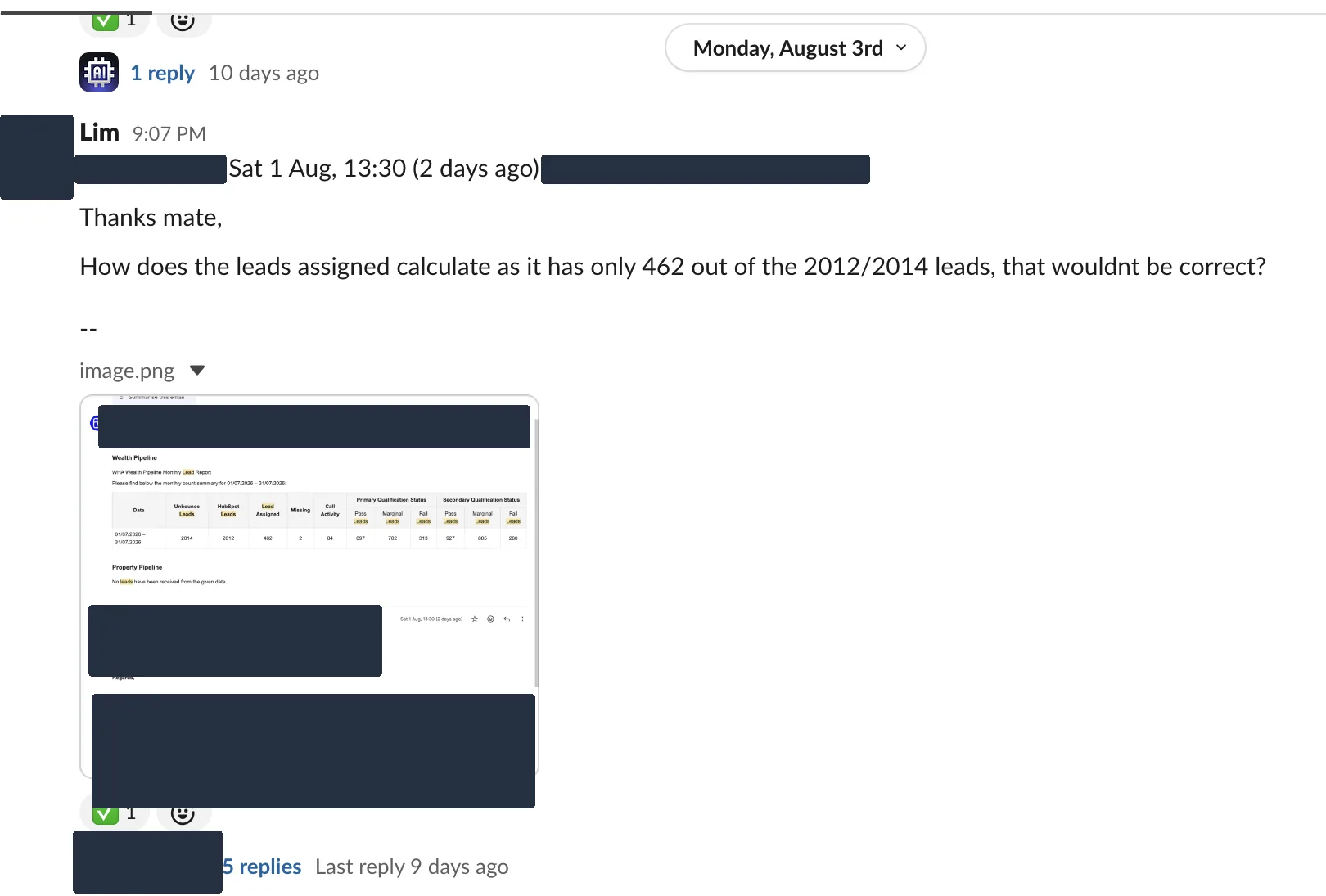
The moment it earned trust was not a good week. Their founder pushed back on a lead number in front of everyone, we answered in the thread, and the tick went on. A report earns trust the first time someone challenges it and gets a straight answer in the open.
What to look at
- Overdue work carries a Past flag. We report what slipped rather than quietly dropping it.
- A change asked for in chat comes back as done work in the Friday report. The loop closes in writing.
A thin report that arrives every week beats a perfect one that doesn't.
System 02 · The founder inbox
The inbox that does the looking
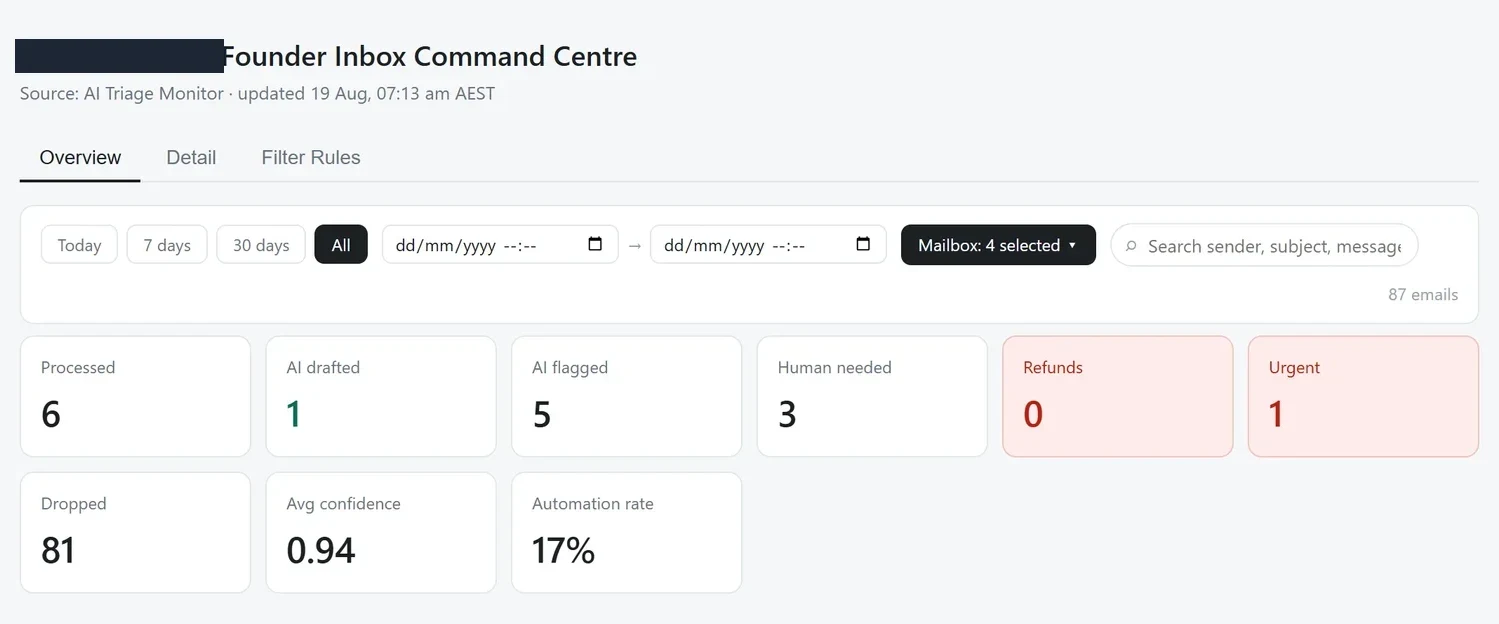
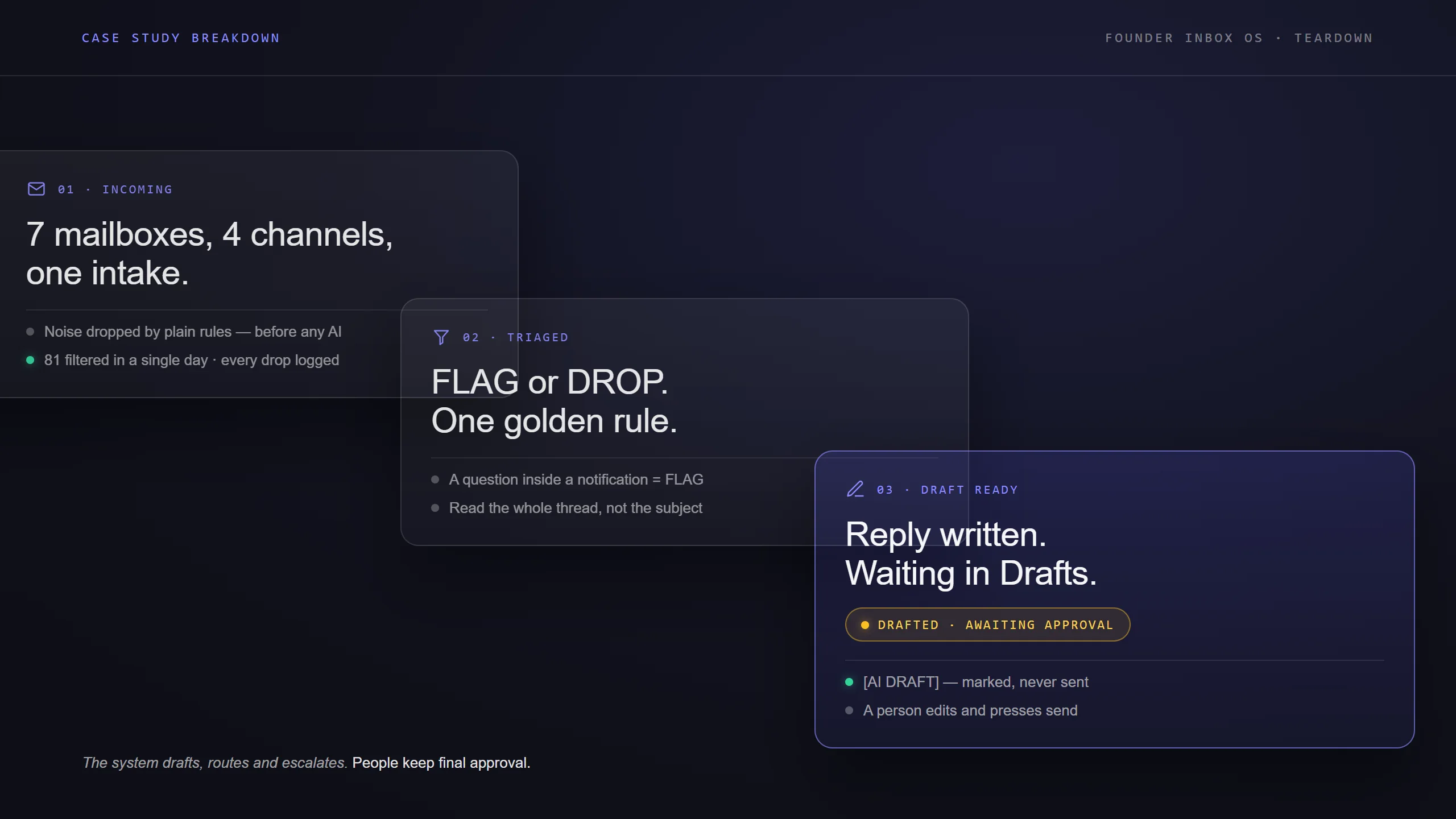
A consumer brand came to us drowning. Seven mailboxes plus WhatsApp, Meta DMs and Shopify Inbox, around fifty customer emails a day in peak season, and someone clearing the backlog late at night.
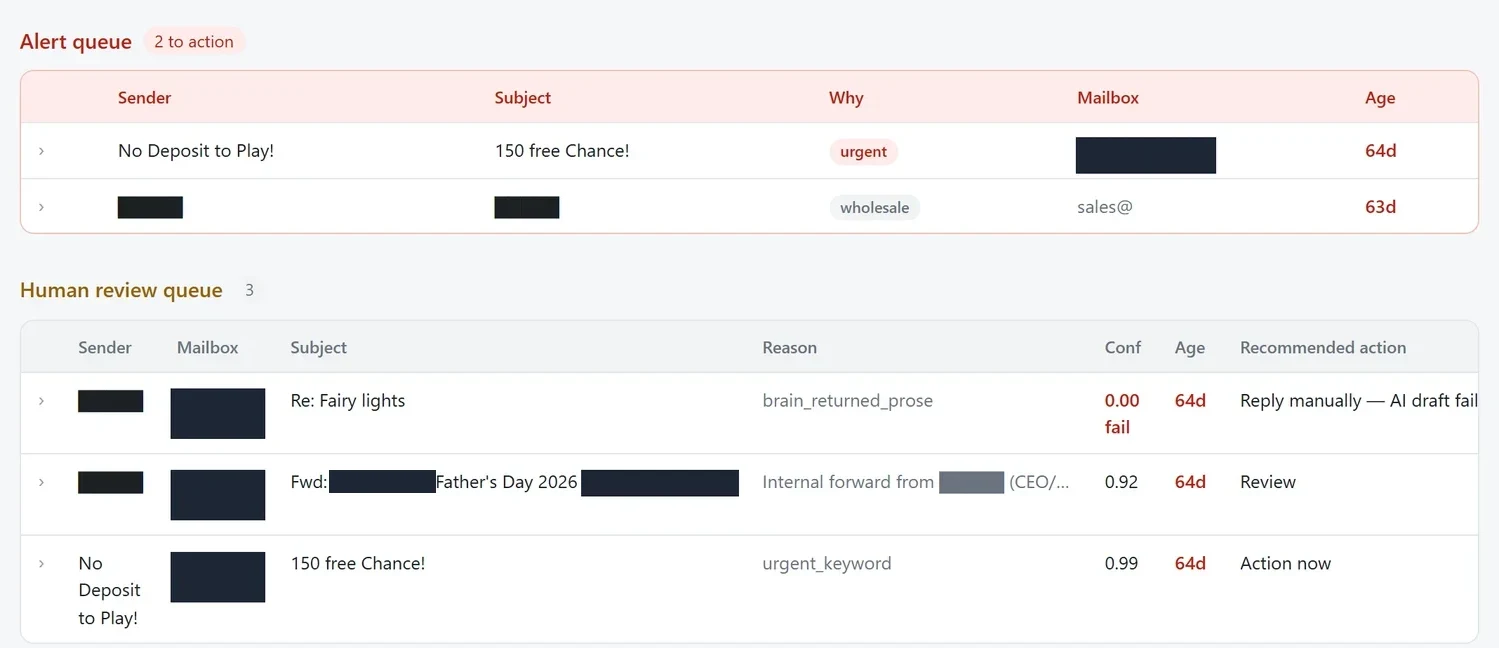
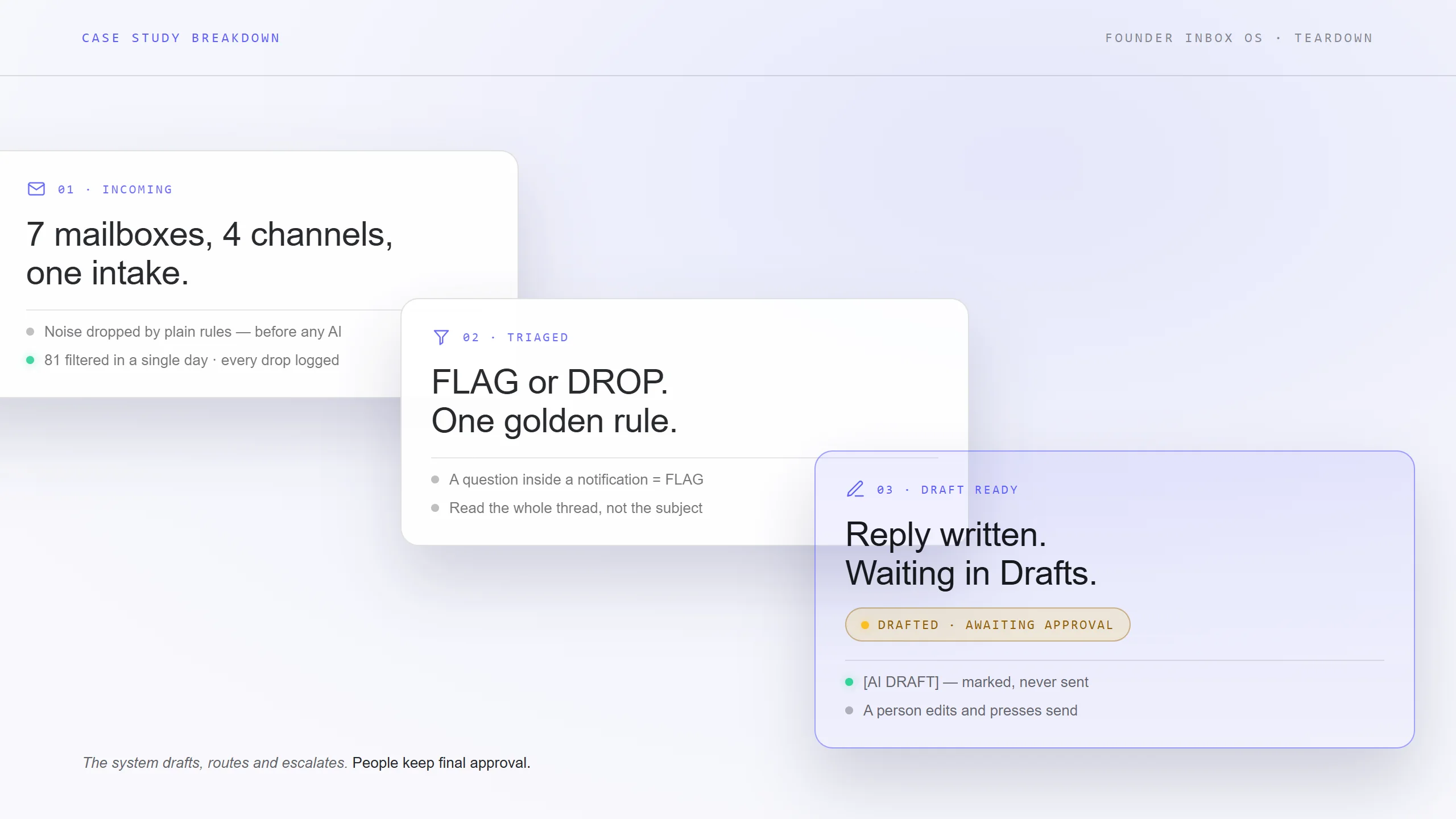
We built one triage layer across all of it, and the first thing it does is not AI. Plain rules, which they edit themselves, drop newsletters and notifications before the model sees anything. What survives lands in a named queue with the reason it landed there and what a person should do next.
Every reply waits as a draft. Refunds over an agreed threshold, anything legal, and diet-critical questions never become drafts at all, they ping a named human. Their founder now works two queues and a morning digest instead of a midnight inbox.
What to look at
- Nothing on this screen can send itself. The system drafts, routes and escalates. People send.
- It once quoted a discount it should not have, so we took pricing out of every AI reply. The fix was a sharper rule, not a smarter model.
The draft is the product. Auto-send is something a category of reply has to earn, and money, legal and safety never will.
System 03 · Sales visibility
The scoreboard everyone can see
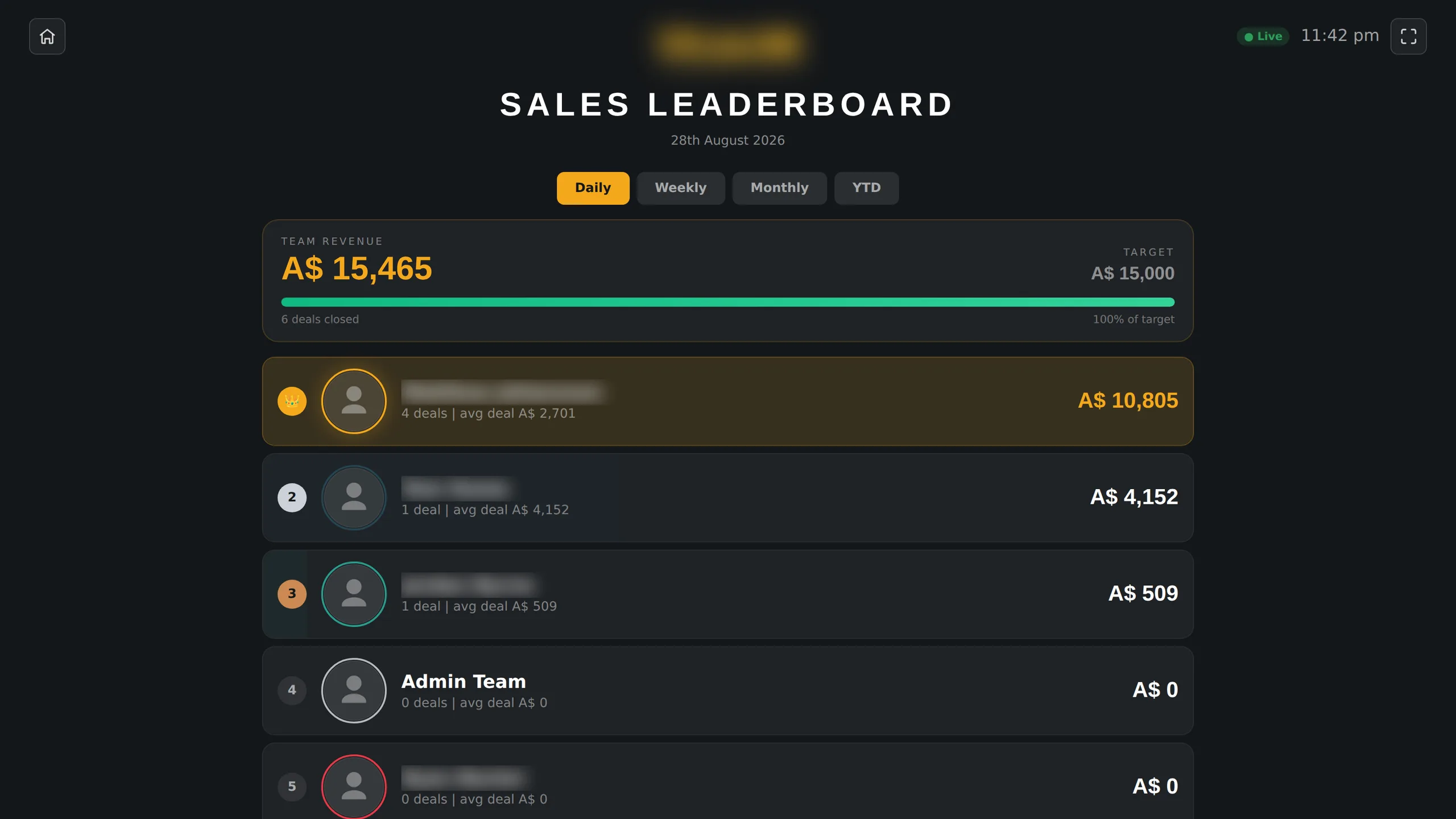
Another Australian client, a trade-certification provider, ran commission out of one person's spreadsheet. Reps could not see where they stood, and nobody could show how a number had been reached.
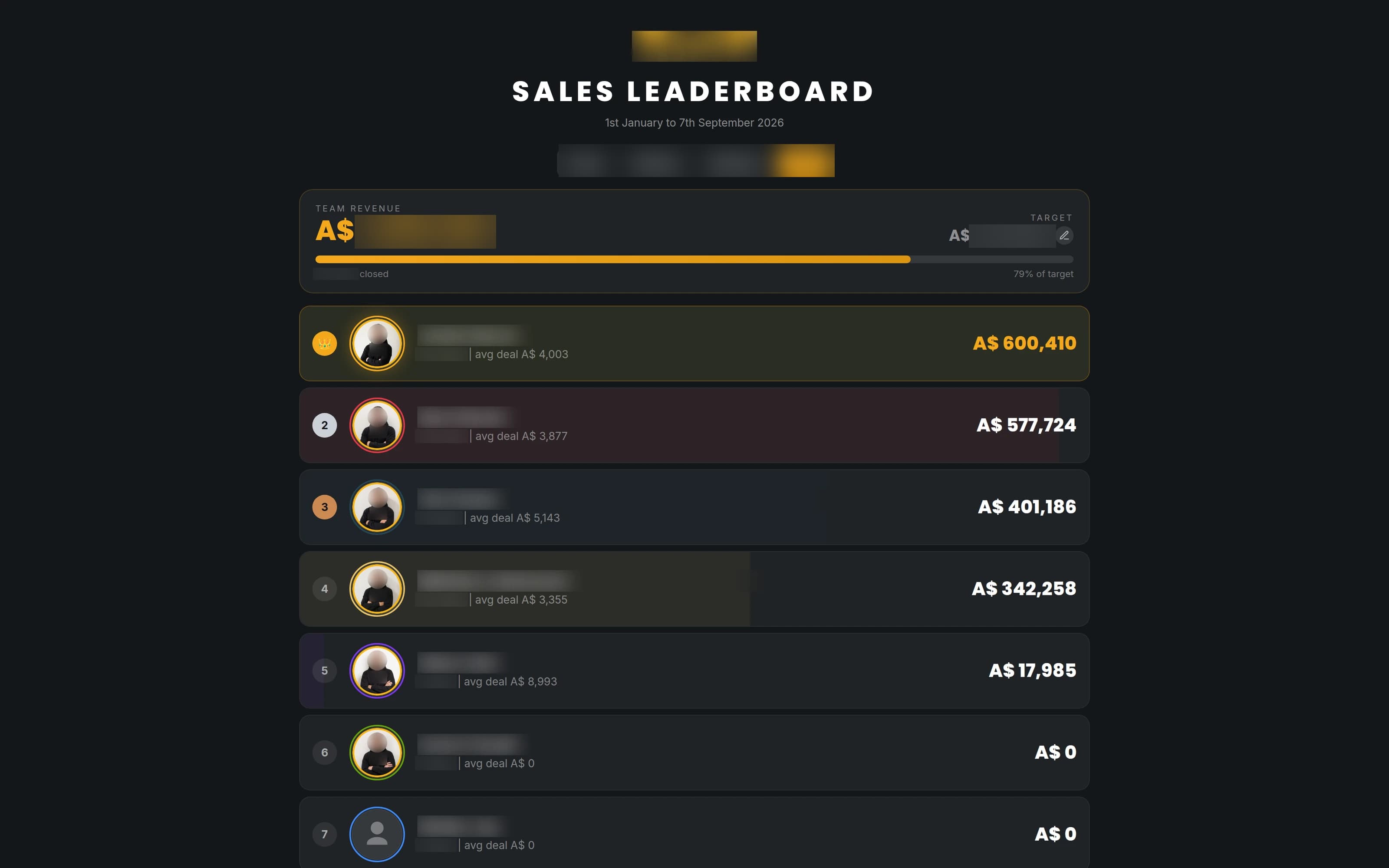
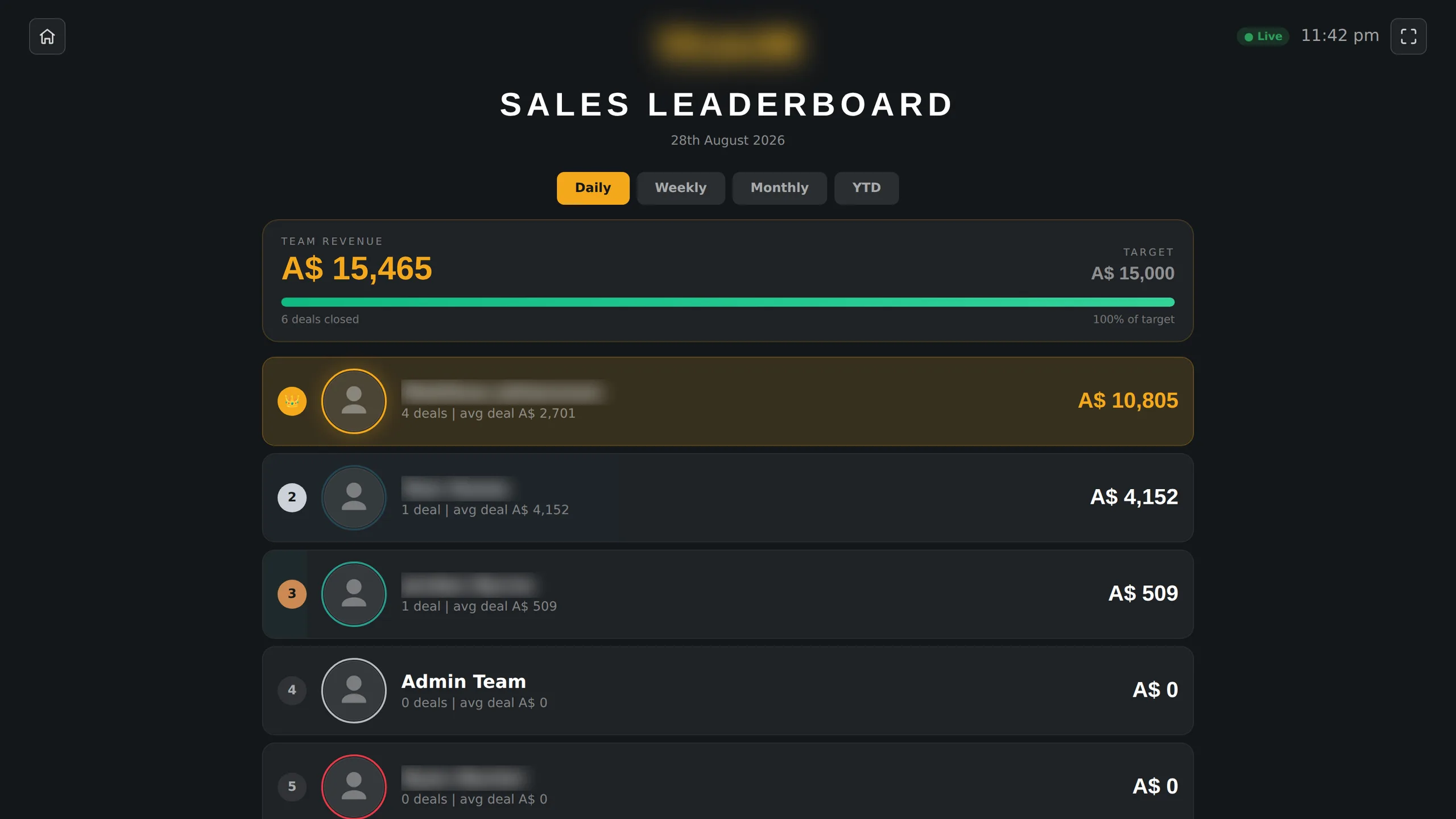
We put the sales floor on the office wall. A live board cycles daily, weekly, monthly and year to date, and every rep can open the same numbers themselves in a portal instead of asking for them.
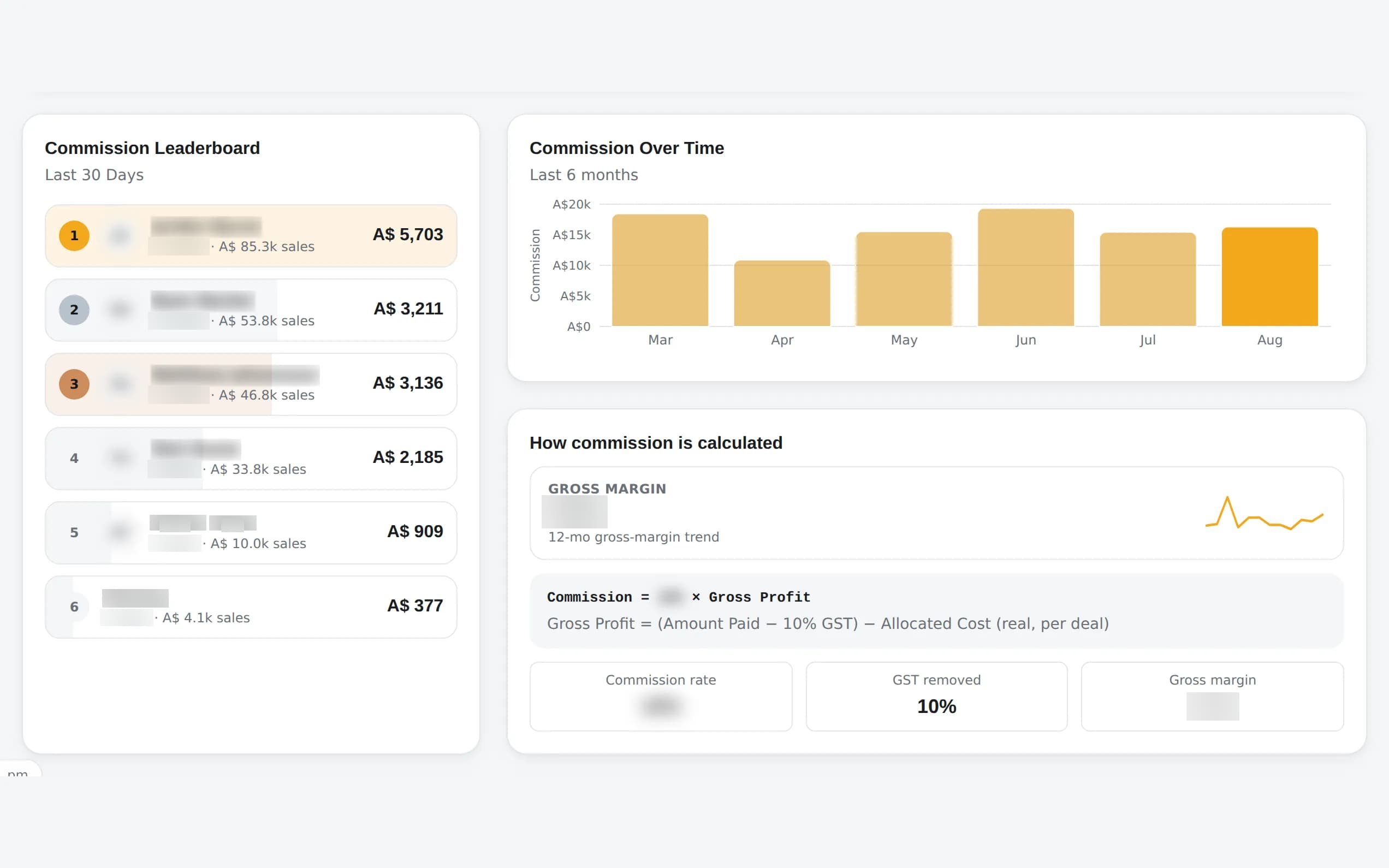
Commission is now worked out in the open, from real payments rather than a formula in someone's head. Finance pays from figures that trace back to the deal that earned them.
What to look at
- The board is live. A closed deal shows up on the wall while people are still in the room.
- Every commission figure traces back to a payment, so "how did you get that number" has an answer on screen.
People chase a number they can see. Putting the scoreboard on the wall changed behaviour before any of the reporting did.
What the three share
Same shape, three times
The shape repeats. Machines collect, route and draft on a schedule. People own the judgement, which is the explanation in the thread, the edit to the draft, and the approval before anything is written anywhere.
And every exception has an address. A challenged number becomes a thread, a strange message becomes a queue row. None of these systems is finished, and the ones that survive are the ones built to be questioned.
Steal the shape
None of this needs new tools. It needs a few decisions made in the right order.
Put the week on a schedule
One report, a fixed day, a fixed shape. Send it before it is polished.
Filter with boring rules first
Drop the noise deterministically and log every drop with its reason. Save the model for the messages that deserve one.
Draft, don't send
Let AI prepare the reply, the summary and the note. Keep a person on every send, and keep money, legal and safety out of its reach entirely.
Give every exception an address
A challenged number, a strange message, a refund over threshold. Each should land in a thread or a queue with an owner.
Put the scoreboard where people can see it
A number on a wall changes behaviour faster than a report nobody opens. Make sure it traces back to something real.
The proof behind this issue
System 02 in full. The architecture, the message flow and the honest outcomes of the inbox build, on the proof feed.
Case study
· Inbox automation
Founder Inbox OS
Seven inboxes and customer channels were feeding one overloaded team. We built a human-reviewed system that sorts every message, drafts the next reply and escalates anything that needs judgement.
7
mailboxes triaged
81
noise messages filtered in one morning
0
replies sent without human approval
Freckleberry
2026-06-18OpenClawn8nRailwayRead the case study → OpenClaw
Get the next issue in your inbox
Real systems we've shipped, with practical lessons you can use today.
Which of the three is your gap?
The report nobody reads. The inbox that runs the day. The scoreboard nobody can see. Tell us which one is costing you, and we will show you what the fix looked like.
Keep exploring the Intelligence Library
Reporting & Dashboards
The weekly reporting cadence that ends "how are we doing?"
2026-06-17
Operations
Teardown: the inbox that drafts itself
2026-06-24
Sales & CRM
Sales Command Center
2026-08-29